


4 in 1 Charging Stand for an Organized Apple Setup

A well-designed charging setup does more than keep devices powered. It gives each essential device a clear place to land, making a desk or nightstand easier to use and more visually composed.
Explore the QUAD 4-in-1 charging station
A 4 in 1 charging stand brings four charging positions into one organized destination. It can hold an iPhone, Apple Watch, AirPods, and a compatible fourth device in a single coordinated setup. The best option balances device fit, charging methods, power distribution, placement, and materials that suit the room.
That combination makes four-device charging useful for an Apple setup built around daily routines instead of isolated accessories. This guide explains how the category works, which devices fit the QUAD configuration, and how to choose a location that earns its space.
What Is a 4 in 1 Charging Stand?
A 4 in 1 charging stand is one station designed to power four separate devices from a centralized location. It replaces several scattered charging points with a repeatable home for the devices used throughout the day.
Each charging position has a defined role. One may use magnetic alignment for a compatible iPhone. Another may support an Apple Watch charging connection. A wireless surface can serve AirPods, while a fourth position can accommodate an iPad or another compatible USB-C device. The exact arrangement depends on the product, so the number four describes capacity rather than four identical charging surfaces.
How four charging positions work together
Place each device in its intended position and connect the stand to its power source. The station then acts as a central charging hub. Magnetic alignment helps a compatible iPhone sit in a consistent position. Other devices may use a wireless charging surface or a physical cable. A clear layout reduces the need to search for a connector or move a device between different surfaces.
When the iPhone, watch, earbuds, and fourth device return to one location, charging becomes part of the end-of-day routine. That consistency can help devices stay ready for a workday, commute, or evening without making the charging area the visual focus of the room.
Why one destination improves daily organization
A centralized station reduces the number of separate charging points around a desk or bedside table. It also creates a defined return point for smaller accessories that might otherwise move between surfaces. The practical result is a calmer workspace and a more predictable handoff from use to charging.
This is the difference between adding another accessory and creating an organized charging zone. For more ways to plan a focused workspace, see these desk charging station ideas.
What makes the category useful beyond power
A 4 in 1 stand combines power management with spatial organization. It gives daily devices a consistent home and lets the charging area fit naturally into a desk, nightstand, or shared household surface. A station made with real wood and full-grain leather can read as part of the room rather than as a collection of disconnected accessories.
Which Apple Devices Can a 4 in 1 Charging Stand Charge?
The QUAD configuration is built around an iPhone, Apple Watch, AirPods, and a fourth device such as an iPad or compatible USB-C device. Compatibility depends on the charging method used at each position and the exact device, case, cable, and adapter.
A four-device setup works best when every position corresponds to an item that regularly returns to the same surface. The device mix below shows how the positions can work together.
| Device | Typical position | Compatibility consideration |
|---|---|---|
| iPhone | Primary magnetic stand | Designed for compatible MagSafe iPhone models. Case thickness and construction can affect alignment. |
| Apple Watch | Dedicated watch position | Uses the Apple Watch charging connection provided by the station. Confirm the intended watch model and included charging hardware. |
| AirPods | Wireless charging surface | Works when the AirPods case supports Qi wireless charging. A non-Qi case needs its wired charging method. |
| iPad or USB-C device | Fourth charging position | Uses USB-C compatibility rather than magnetic phone alignment. The cable and power requirements must match the device. |
The practical four-device combination
The iPhone is usually the primary position because it is handled most often. The Apple Watch can remain visible and easy to place at night. AirPods have a defined landing point between calls, travel, and listening. The fourth position gives an iPad or another compatible USB-C device a home without requiring a separate charging area.
That final position is most valuable when the larger device belongs to the same routine. A tablet used for reading or evening planning may benefit from a nearby connection. A secondary phone or another USB-C device may also fit, provided its power requirements and physical dimensions match the station.
MagSafe, Qi, and USB-C are different
MagSafe combines magnetic alignment with wireless charging for compatible iPhone models and accessories. Qi transfers power wirelessly when a compatible device or case rests on the charging surface. USB-C uses a physical cable and the correct power delivery for the connected device.
These technologies can work together in one station, but they are not interchangeable. Check the current QUAD collection details and confirm compatibility for the specific iPhone, watch, AirPods case, iPad, or USB-C device in the intended setup.
How Does a 4 in 1 Charging Stand Work?
A 4 in 1 charging stand routes power to several dedicated positions in one connected station. Correct alignment, compatible devices, suitable cables, and the supplied adapter all contribute to reliable charging. The result is one repeatable place for an iPhone, Apple Watch, AirPods, and a fourth compatible device to charge together.
Set a MagSafe-compatible iPhone against its magnetic charging area. Rest the watch on its dedicated point, place the AirPods case on the compatible wireless surface, and connect the fourth device through its intended port or cable. Each device has a clear role, so the user does not need to guess which surface to use.
Placement creates the connection
Magnetic alignment helps hold a compatible iPhone in the correct position for power transfer. A watch rests on its charging point, while AirPods or another compatible device sits on its own surface. Charging works best when surfaces are clear of thick cases, cards, or objects that can interfere with contact.
A visible setup makes confirmation easier. Before leaving a desk or going to sleep, it is simple to check that each device is centered and connected. The station's layout also makes it easier to identify which item still needs power.
One station manages shared power
Inside the station, the charging system distributes incoming power across its separate charging areas. The available power is not necessarily identical at every position. A clear product design should distinguish the intended function of each area instead of suggesting that every surface performs the same task.
NYTSTND charging stations are MagSafe compatible and support universal Qi charging. MagSafe charging can reach up to 15W when the device, charging position, adapter, and other parts of the setup support the applicable standard. Actual results vary with the device and accessories in use.
Reliable habits depend on the complete setup
Use the supplied power adapter and follow the station's device-specific placement guidance. Keep charging surfaces dry and unobstructed. Remove accessories that are not intended to remain between the device and charger.
- Place the stand on a stable surface near an accessible outlet.
- Connect the supplied power source before adding devices.
- Match each device to its designated charging position.
- Check alignment, cable connection, and charging indicators.
- Return each device to the same position after use.
For a closer look at the brand's material philosophy and design approach, visit The NYTSTND Story.
Where Should You Place a 4 in 1 Charging Stand?
Place a 4 in 1 charging stand where four devices already come together, such as beside a monitor, on a nightstand, or in a shared household drop zone. The best location has a nearby outlet, an easy reach, and enough room for every charging position.
Start with the outlet, not the furniture. The cable should reach power without crossing a walking path or pulling against the stand. Keep the connection accessible enough to unplug or reset without moving the station.
Build the charging zone around the routine
Map the daily handoff. Identify where the iPhone, Apple Watch, AirPods, and fourth device naturally land at the end of work or sleep. That point is usually more useful than an empty surface selected only for appearance.
On a desk, keep the station near the main viewing area without taking over the writing or keyboard space. At the bedside, place it where the phone can be set down and retrieved without reaching across the bed. In a shared area, choose a visible surface everyone can access.
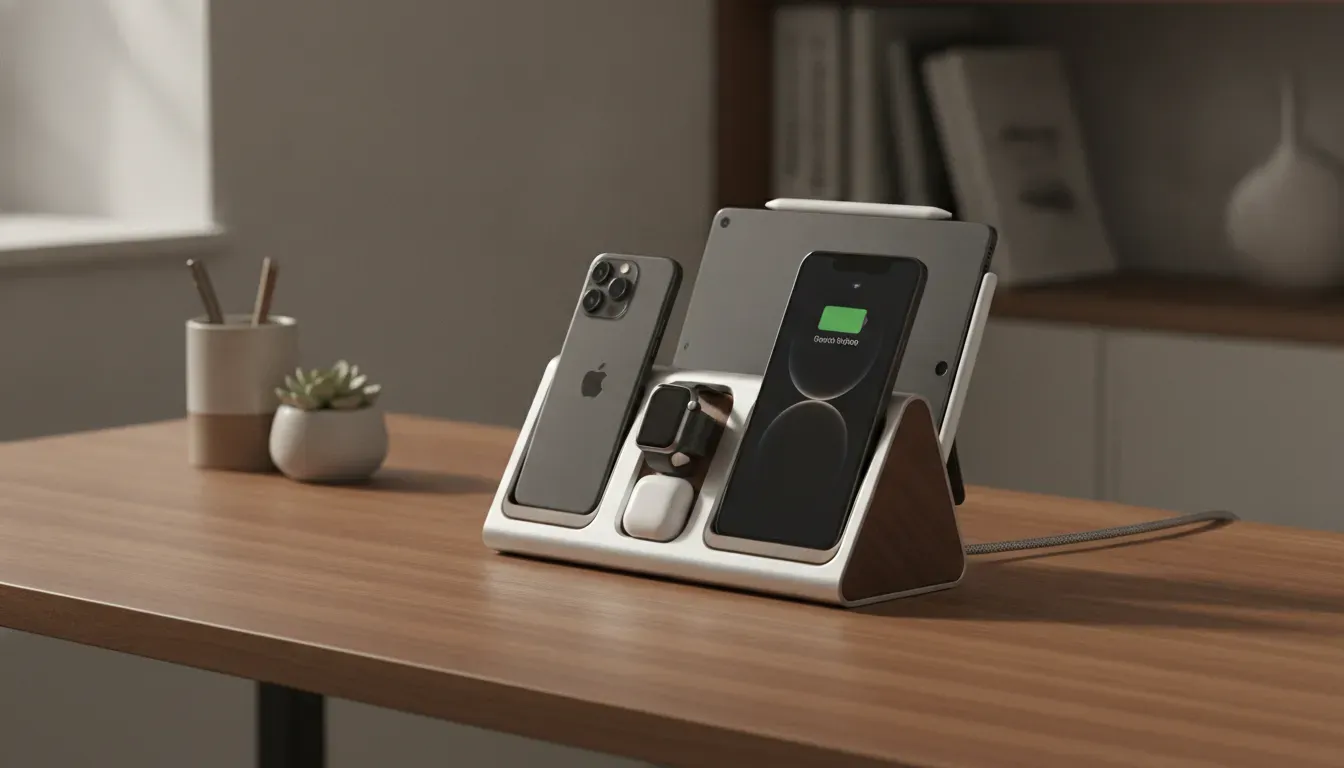
Use orientation to make charging easier
Orient the stand so the screen remains visible for practical glances while seated or standing. Avoid placing it behind a monitor, lamp, or decorative object that makes alignment harder. Leave enough room for the station to sit flat and for cables to run cleanly behind it.
A clear perimeter improves access. It also helps the station function as both a power hub and a display point. In a bedroom, a dedicated charging area can support a calmer evening routine. NYTSTND also explores nighttime device habits in this guide to sleep and device use.
Match the location to the room
A home office placement should support focus and quick device changes. A bedside placement should prioritize quiet access and a clear line of sight. Either location works when the stand is close enough to use, stable enough to trust, and visually proportionate to the surface.
Why Do Materials Matter in a Charging Stand?
Materials matter because a charging stand occupies a visible part of the room every day. Real wood provides a stable visual anchor, while full-grain leather adds texture, protection, and a comfortable surface for repeated use. Together, these materials help a four-device station function as part of a desk or nightstand rather than as a temporary utility.
Compatibility determines whether a stand can do its job. Materials determine how naturally it stays in the room. A four-device station is used at the beginning and end of the day, between meetings, and whenever a device returns to its place. Its construction should suit that frequency.
Real wood gives the stand a visual anchor
Wood brings variation that manufactured plastic cannot reproduce. Grain, tone, and finish give the station a quiet presence on a desk or nightstand. That distinction matters because a 4 in 1 charging stand often occupies one of the most visible surfaces in a room.
NYTSTND stations use real wood and full-grain leather to combine charging with home organization. The wooden body gives the charging points a stable foundation. Its natural surface can complement a wood desk, soften a modern workspace, or add warmth to a bedside arrangement.
Full-grain leather adds protection and touch
Leather contributes a different quality. Its surface feels comfortable when a device is set down or lifted, and the charging pad can help protect devices from direct contact with a harder surface. The texture adds material interest without making the station visually busy.
Full-grain leather is suited to a product designed for repetition. Small signs of use can become part of the material's character rather than making the station feel disposable.
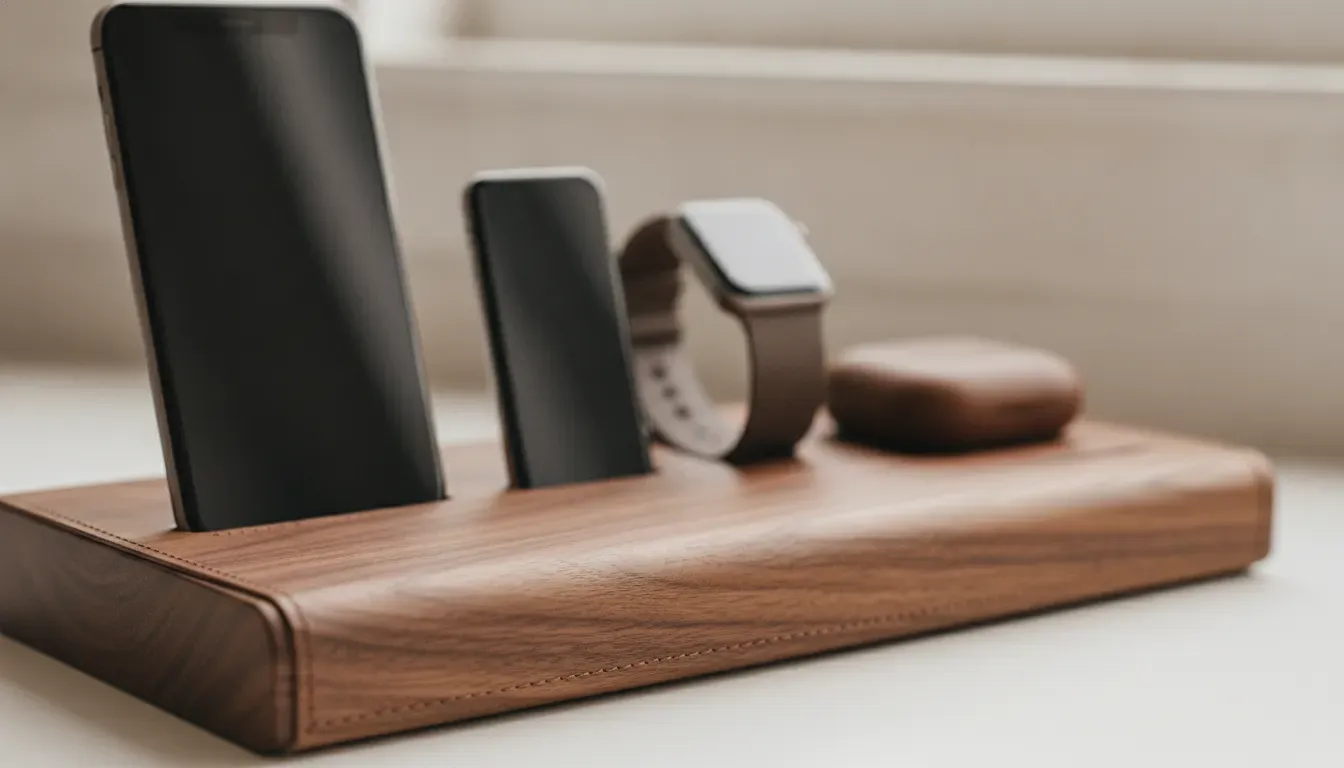
Design and function should reinforce each other
A centralized charging station gives each device a consistent place to return. A refined wood-and-leather form helps that routine feel natural in a personal or professional space.
For readers comparing smaller configurations, the TRIO collection supports a three-device routine, while the DUO collection suits a more compact two-device setup.
Is a 4 in 1 Charging Stand Right for Your Apple Setup?
A 4 in 1 charging stand is the right fit when four devices belong to the same daily routine and deserve one consistent charging destination. If only three devices return to the surface, a smaller station may be more practical.
Choose four positions when all four devices are used
The strongest case for four-device charging is regular use. When an iPhone, Apple Watch, and AirPods return to the same surface every evening, the fourth position can keep a tablet, secondary phone, or other compatible device ready as well.
This arrangement also suits a shared space. In a household office or central charging area, four positions make it easier to establish one clear destination without assigning several adapters and cables to different surfaces. Centralizing power can free outlets and support a more considered layout.
When a 3-in-1 is enough
A 3-in-1 stand may be the better fit when the daily rotation consistently stops at an iPhone, Apple Watch, and AirPods. If a tablet is charged elsewhere or used only occasionally, the fourth position may add capacity without adding meaningful convenience.
Use a practical buying checklist
- Device fit: confirm the iPhone, watch, AirPods case, and fourth device match the station's supported charging methods.
- Power source: check the supplied adapter, cable requirements, and expected charging behavior for simultaneous use.
- Placement: measure the surface and confirm that every position remains easy to reach.
- Materials: choose a finish that works with the desk, nightstand, or shared room.
- Capacity: select four positions only when the fourth device has a real place in the routine.
For a broader view of NYTSTND's charging formats, browse the full charging and accessories collection. The QUAD remains the natural category fit for an Apple setup that regularly brings four devices to one surface.
Build a more organized four-device charging destination with QUAD
Frequently Asked Questions
These answers summarize the practical compatibility, speed, placement, and material considerations for choosing a 4 in 1 charging stand. Use them as a final checklist before selecting a station for an iPhone, Apple Watch, AirPods, and a fourth device. Confirm the exact product details for the intended setup.
Are 4 in 1 charging stands fast?
Charging speed depends on the device, power source, alignment, and whether several devices charge at once. MagSafe charging can reach up to 15W when the device, charging position, adapter, and other accessories support the applicable standard. Check the product specifications for the intended setup.
How does a 4 in 1 charging stand work?
It combines four charging positions in one connected station. Place an iPhone, Apple Watch, AirPods case, and fourth device on their designated surfaces. Magnetic alignment supports secure placement where available. Qi or USB-C connections serve the other devices, depending on the station design.
Which Apple devices can a four-device stand charge?
A practical setup can accommodate an iPhone, Apple Watch, AirPods, and an iPad or another compatible USB-C device. The exact combination depends on the stand design. Confirm the specific product details before purchase, especially when the fourth position must support a larger device.
What should I look for in a 4 in 1 charging stand?
Start with compatibility, charging method, power distribution, footprint, placement, and materials. The station should give each daily device a consistent position, keep the charging area organized, and sit naturally on a desk or nightstand. Real wood and full-grain leather can help the station complement the surrounding space.
Next article


