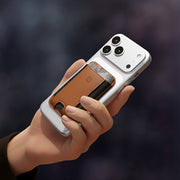
Tidy Tech: 20+ Charging Station Ideas for Your Home

The most effective home charging setups place dedicated stations in high-use areas: nightstands for overnight charging, home offices for workday use, and entryways for grab-and-go convenience. Premium materials like wood and leather integrate seamlessly with home décor, while multi-device stations eliminate cable clutter across every room.
Our homes are carefully curated spaces, but tech accessories often feel like a clunky afterthought. Cheap plastic stands and a mess of wires can disrupt a room's entire aesthetic, creating visual clutter that undermines the calm you've worked to create. A charging station shouldn't be something you have to hide. Instead, it can be a beautiful, functional piece of decor that complements your style. By choosing high-quality materials like wood and leather, you can integrate your tech seamlessly. We’ve gathered a collection of stylish charging station ideas for home that prove you don’t have to sacrifice design for functionality, helping you find a solution that looks as good as it works.
Key Takeaways
- Create a Central Hub for Your Tech: A dedicated charging station brings order to your space by giving every device a home, which ends cord clutter and the daily hunt for chargers.
- Choose for Both Function and Form: Look for a station with the right technical specs, like MagSafe compatibility and sufficient power for all your devices, but also choose premium materials that complement your home's aesthetic.
- Design Your Space to Support Good Habits: Place your charging station strategically to improve your routines. An entryway hub makes mornings easier, while moving chargers out of the bedroom helps you disconnect and get better rest.
Why You Need a Dedicated Charging Station
If your kitchen counter or nightstand looks like a tangled nest of white cords, you’re not alone. We all have multiple devices, and they all need power. But the daily shuffle of plugging, unplugging, and hunting for the right cable is more than just a minor annoyance. It creates visual noise and a subtle layer of stress you might not even notice until it’s gone. A dedicated charging station isn't just another gadget; it's a simple system that brings order to the chaos. It gives every device a home, streamlines your daily routine, and reclaims your space from the clutter of modern tech. Think of it as the first step to a tidier, more intentional relationship with your electronics.
The Real Cost of Device Clutter
The mess of tangled cords and scattered devices does more than just look bad. It costs you time and mental energy. Think about the five minutes you spent this morning looking for your AirPods, or the minor family squabble over who took the last good charging block. This is the real cost of device clutter. When your tech doesn't have a designated spot, you're constantly dealing with low-level chaos. A single, centralized charging hub, like one of NYTSTND's Quad Stations, eliminates the daily scavenger hunt. It creates a reliable home base for everyone's electronics, putting an end to the "who took my charger?" debate for good.
The Perks of a Central Charging Hub
Imagine knowing exactly where your phone, watch, and earbuds are at all times. That’s the peace of mind a central charging hub provides. Instead of having devices scattered across different rooms and outlets, you have one go-to spot. This simple change makes your mornings smoother and your evenings more relaxed. You can grab everything you need on your way out the door without a second thought. High-quality wireless chargers take this a step further by eliminating the cords themselves, creating a clean, streamlined surface. It’s a small upgrade that makes a big difference in how organized and calm your space feels.
Build Healthier Tech Habits
A dedicated charging station can also help you set better boundaries with your devices. When you create a specific "home" for your electronics—ideally outside of your bedroom—you create a physical separation that encourages you to disconnect. This simple act of docking your phone for the night can be a powerful signal to your brain that it’s time to wind down. It’s a practical step toward reducing late-night scrolling and protecting your sleep from the endless notifications and blue light. By making your charging station a key part of your nightly routine, you're not just organizing your devices; you're taking an active role in getting better rest.
How to Choose the Perfect Charging Station
Finding the right charging station is about more than just plugging things in. It's about creating a system that simplifies your routine, protects your expensive devices, and actually looks good in your home. A great charging station should feel like a natural part of your space, not a techy afterthought. When you start shopping, it helps to think about a few key factors beyond just how many devices it can hold. Consider where it will live, what it’s made of, and how it will fit into your daily life. This approach ensures you find a solution that not only powers up your gear but also brings a sense of order and calm to your environment. After all, the goal is to make your life easier and your space tidier, so let’s walk through how to pick the perfect one for you.
Pick Materials That Last (and Look Good)
Your charging station will be a permanent fixture in your home, so it should be built to last and match your style. Skip the flimsy plastic and look for high-quality materials like solid wood or genuine leather. These materials aren't just durable; they add a touch of warmth and sophistication to your space. A well-crafted station made from light-colored wood with hidden wiring can feel like a piece of minimalist decor rather than just a utility item. When you invest in premium materials, you’re getting a functional accessory that seamlessly blends into your home’s aesthetic and stands up to daily use.
Find a Tangle-Free Solution
Let’s be real: a tangled mess of cords is stressful. The primary job of a charging station is to eliminate that chaos. Look for a design that consolidates all your charging needs into one sleek unit, managing the cables internally so you don't have to see them. Instead of trying to hide cords in a basket or drawer, an integrated station provides a dedicated spot for each device, keeping everything neat and accessible. A multi-device hub like a Quad station turns a cluttered countertop into an organized command center, giving you a single, elegant solution for your iPhone, Apple Watch, and AirPods.
Match the Power to Your Devices
Not all chargers are created equal. To ensure your devices charge efficiently and safely, you need a station that delivers the right amount of power. Using an underpowered charger can lead to frustratingly slow charging, while an incompatible one could potentially damage your device's battery over time. Before you buy, check that the station’s power output is optimized for your specific devices, especially if you're using fast-charging features. Make sure you also have the right wall adapter to support the station's total wattage, as this is a critical part of the power equation that often gets overlooked.
Plan for Your Space
Consider where your new charging station will live and how much surface area you can spare. Do you need a compact hub for a small nightstand, or do you have room for a larger setup on your desk or in the kitchen? Measure the space beforehand to avoid any surprises. There are endless designs available, from sleek, minimalist stands that take up very little room to more substantial organizers. If you travel often, a foldable wireless charger can be a great space-saving option both at home and on the go. Thinking about the footprint first will help you find a perfect fit.
Blend It with Your Decor
Your charging station doesn't have to be an eyesore. Think of it as another piece of home decor. The right station should complement your existing style, whether it's modern, rustic, or something in between. Look for designs and finishes that match your furniture and overall aesthetic. A beautiful oak or walnut charger can add warmth to a room, while a sleek black leather finish can feel more contemporary. The goal is to find a piece that feels intentional and cohesive, enhancing your space instead of just occupying it. Browse different charging station styles to find one that you’ll be happy to display.
Charging Station Ideas for Every Room
Finding the right place to charge your devices is about more than just locating the nearest outlet. The best charging station is one that fits seamlessly into your daily life, making your routines smoother and your space tidier. A tangled mess of cords on the kitchen counter creates a different kind of stress than a jumble of wires on your nightstand, so each room needs its own thoughtful solution. By creating dedicated charging zones in key areas of your home—like the kitchen, entryway, and office—you can build better tech habits and keep clutter under control.
Think about where you naturally use and put down your devices. Is it the kitchen island where everyone gathers after school and work? The console table by the front door where you drop your keys? Or the desk where you spend your workday? Placing a charging hub in these high-traffic spots makes it effortless to keep your tech powered up and organized. Let’s look at some practical and stylish ideas for integrating charging stations into every room, so your home stays functional and beautiful.
Living Room: Family Charging
Shared living spaces accumulate devices from multiple family members. Living room charging considerations include:
- Adequate capacity for multiple phones
- Child-friendly placement (out of toddler reach if applicable)
- Cable management that maintains clean aesthetics
- Integration with entertainment center or side tables
A QUAD station accommodates four devices, sufficient for most family configurations. Position on a side table or media console where it's accessible but not visually dominant.
The Kitchen Command Center
The kitchen is often the heart of the home, which means it can quickly become a dumping ground for phones, tablets, and earbuds. Instead of letting cords take over your precious counter space, create a dedicated kitchen command center. You can tuck a charging hub inside a drawer or a technology cabinet to keep it completely out of sight. For an easier approach, place a multi-device station in a corner of the counter. A streamlined charger like the NYTSTND Trio can power a phone, watch, and earbuds all at once, turning a cluttered mess into an organized hub for the whole family.
Kitchen charging serves two purposes: recipe reference while cooking and casual browsing during meals. Kitchen-area charging needs include:
- Angled positioning for hands-free recipe viewing
- Easy cleaning of surfaces that may encounter food prep environments
- Compatibility with various device sizes
- Positioning away from water sources and high-heat areas
A single-device charging stand positioned near (but not adjacent to) primary prep areas. Some families prefer mounting solutions that keep devices at eye level during cooking.
The Entryway Drop Zone
Your entryway sets the tone for your entire home, so keeping it organized is key. It’s also the natural spot where you drop your keys, wallet, and phone the second you walk in the door. Lean into that habit by turning your entryway table into an intentional charging zone. A sleek charging station can blend right in with your decor, whether your style is contemporary and minimal or warm and rustic. Placing a simple, elegant charger like the NYTSTND Duo on a console table ensures your phone has a home and is always ready to go when you are.
The entryway represents transition—arriving home, you offload devices; leaving, you grab them fully charged. This location benefits from:
- Visible positioning that creates a natural "drop zone"
- Fast charging to maximize limited overnight windows (if this is your primary station)
- Aesthetic appeal since guests see this area first
- Possible integration with key/wallet organization
A DUO station on an entry console handles daily carry devices. Some customers pair this with a wall-mounted key organizer, creating a complete "landing zone" for everything you need when leaving home.
The Clutter-Free Nightstand
Your bedroom should be a sanctuary, but a tangle of charging cables on your nightstand can create visual clutter that disrupts your peace. A clean, organized bedside table helps create a more relaxing environment for sleep. Swapping multiple cords for a single, multi-device charging station is one of the easiest ways to tidy up. When choosing a charger, look for one that complements your decor, whether it’s modern, rustic, or minimalist. Our wireless chargers are designed with high-quality wood and leather to add a touch of warmth and sophistication to your space while keeping your essential devices ready for the morning.
Your nightstand handles the longest daily charging session. Devices placed here at 10 PM remain until 7 AM, giving ample time for full charges at any speed. Priorities for bedroom charging stations include:
- Silent operation without LED lights or audible hums
- Natural materials (wood, leather) that complement bedroom furniture
- Multi-device capability for phone, watch, and earbuds
- Stable positioning that works with iOS StandBy mode
A TRIO station on each nightstand, handling iPhone, Apple Watch, and AirPods for both partners. This eliminates the common "whose turn to charge on your side" negotiation and keeps cables invisible.
The Focused Home Office
A clear desk can lead to a clear mind. In the home office, you need your devices handy, but you don’t want their cables cluttering your workspace and causing distractions. A minimalist charging station is the perfect solution for keeping your work essentials powered and organized. Look for a simple, box-like design made of materials like light-colored wood that can hold your phone and earbuds without adding visual noise. This keeps your devices accessible for calls and music while maintaining a clean, productive environment that helps you stay focused on the task at hand.
Your workspace demands rapid charging and easy device access throughout the day. Unlike overnight charging, office use involves frequent pick-up and put-down cycles as you move between desk work, meetings, and breaks. Office charging priorities include:
- Fast MagSafe charging (15W+) for quick top-ups between tasks
- Easy one-handed device placement and removal
- Additional USB-C ports for iPad or secondary devices
- Professional appearance suitable for video calls
A QUAD station on your desk provides four-device charging including a USB-C port for wired iPad connection. Position it within arm's reach but outside your primary work zone to minimize distraction.
Hidden Charging Spots
If you’re a true minimalist, you might prefer your charging station to be completely out of sight. There are plenty of creative ways to create hidden charging spots that keep your tech accessible but invisible. You can easily convert a desk drawer or a decorative box into a charging station by drilling a small hole in the back for the cord. An under-desk charging mount is another great option for keeping your workspace clear. These DIY solutions allow you to maintain your home’s aesthetic while ensuring your devices are always powered up and ready when you need them.
On-the-Go Solutions
Your charging needs don’t stop when you leave the house. Whether you’re traveling, commuting, or just working from a coffee shop, having a reliable power source is essential. A portable power bank is great for a quick battery top-up, but for longer trips or working remotely, a travel-specific charger is a game-changer. Our Foldable Wireless Chargers are designed for life on the move, offering a compact and lightweight way to power multiple devices at once. They fold up neatly to fit in any bag, so you can set up an organized charging station wherever you are.
DIY and Budget-Friendly Ideas
If you love a good project or want to test out a charging station before committing, a DIY solution can be a great starting point. Creating your own charging hub is a fantastic way to get organized on a budget and add a personal touch to your space. You can get surprisingly sleek results with a little creativity and a few basic supplies. These ideas are perfect for clearing up cable clutter while you find the perfect long-term setup for your home.
Repurpose What You Already Own
Take a look around your home for items that can be transformed into a charging station. A decorative box, a sturdy shoebox, or even a vintage breadbox can become a discreet home for your devices. Simply drill a few holes in the back for cables, place a power strip inside, and you have a custom hub that hides the mess. A mail organizer on your entryway table can also work wonders, giving each family member’s phone its own slot while it powers up. It’s a simple way to give everyday items a new, tech-friendly purpose.
Try a Simple Building Project
If you’re comfortable with basic tools, you can build a minimalist charging station from scratch. A simple wooden box with internal dividers is a classic project that looks clean and modern. You can design it to fit your specific devices and hide all the wiring inside for a completely seamless look. This approach gives you total control over the size and finish, allowing you to match your home’s decor perfectly. For those who love the aesthetic but prefer a ready-made solution, our Trio stations offer a similar handcrafted, minimalist design without the sawdust.
Upcycle Old Furniture
That old magazine rack or small end table collecting dust in the corner has serious potential. With a little imagination, you can upcycle furniture into a fully functional charging station. A narrow magazine rack is perfect for holding tablets and laptops, and you can tuck a power strip neatly at the bottom. You could also dedicate a single drawer in a nightstand or console table to charging, outfitting it with a power strip and dividers to keep everything organized and completely out of sight. It’s a sustainable and stylish way to handle device clutter.
Get Creative with Budget Finds
You don’t need to spend a lot to create an effective charging station. A trip to the thrift store or a dollar store can uncover all sorts of possibilities. Look for woven baskets, letter sorters, or small shelving units that can be adapted for your tech. A simple woven basket, for instance, can hide a power strip and a tangle of cords, with just the ends of the cables peeking out. This method lets you experiment with different setups to see what works best for your family before investing in a more permanent charging hub.
Quick Hacks to Tame Your Cables
Sometimes, the biggest challenge isn’t where to put the devices, but how to manage the cords. If you’re not ready for a full DIY project, start with some quick cable management hacks. Use velcro ties or binder clips to bundle cords together and keep them from tangling behind your desk or nightstand. You can also use adhesive hooks on the back of furniture to guide cables discreetly. These small adjustments can make a huge difference in reducing visual clutter and making your space feel more organized and calm.
Tech Features to Consider
A charging station’s good looks are important, but what’s happening on the inside is what truly makes or breaks your experience. The right technology ensures your devices charge quickly, safely, and efficiently, without you having to think about it. A great charger isn't just a power source; it's a smart hub that protects your expensive gadgets from overheating or overcharging. It simplifies your routine by delivering the right amount of power to each device, exactly when it's needed.
Before you pick a station based on color or material, let's look at the technical details that matter most. We'll cover everything from making sure it actually works with your specific phone and watch to understanding what "fast-charging" really means. We’ll also touch on smart features that make life easier, why the power adapter is so important, and how to choose a setup that won’t be obsolete when you upgrade your phone next year. Thinking through these features will help you find a charging station that is not only beautiful but also powerful and reliable for years to come.
Check for Device Compatibility
The first and most important step is to confirm the charging station works with your specific devices. It’s easy to assume any wireless charger will work with any phone, but that’s not always the case. Look for certifications like Qi for universal wireless charging, and if you have an iPhone 12 or newer, you’ll want a MagSafe compatible charger for that perfect magnetic alignment and faster speed. A common mistake is buying a generic stand that doesn't meet your device's specific needs, leading to slow or incomplete charging. Make sure the station has dedicated spots for all your gear, whether it's an Apple Watch, AirPods, or multiple phones.
Prioritize Fast-Charging
If you’ve ever been stuck waiting hours for your phone to charge, you already know the value of speed. Fast-charging technology can power up your device in a fraction of the time of a standard charger. For wireless charging, this typically means looking for an output of 7.5W or higher for iPhones and up to 15W with MagSafe. This feature is a lifesaver when you need a quick power-up before heading out the door. Just remember that both the charging station and the wall adapter it’s plugged into must support fast-charging to deliver those top speeds. A powerful station with a weak adapter won't give you the results you want.
Connect to Your Smart Home
While most charging stations don't connect to Wi-Fi like a smart lightbulb, they can still have "smart" features that make a big difference in your daily life. These intelligent designs focus on safety and convenience. For example, many premium chargers have built-in temperature controls to prevent overheating and foreign object detection to stop charging if a key or coin is left on the pad. Some of the most thoughtful designs also include features that support better sleep, like dimming or auto-shutoff LED indicator lights that won’t disturb you at night. These details create a seamless and worry-free charging experience.
Understand Power Management
To charge multiple devices at once, a station needs a strong and steady power source. This is where power management comes in. A quality multi-device charger, like a Trio or Quad station, requires a powerful wall adapter to deliver enough wattage to every single device simultaneously. Using the underpowered 5W cube that came with an old phone just won’t cut it; it will result in painfully slow charging for everything. The best charging stations come with a dedicated power adapter that’s specifically rated to handle the total output, ensuring your phone, watch, and earbuds all charge efficiently at the same time.
Future-Proof Your Setup
Technology moves fast, so it’s wise to choose a charging station that will serve you well for years to come. Investing in a charger that supports current industry standards like MagSafe and Qi wireless charging ensures it will likely be compatible with your next phone, and the one after that. Consider a station with a bit more capacity than you need right now. For instance, if you have a phone and watch, choosing a Trio station leaves a spot open for a future earbud purchase. A durable, high-quality charger is a long-term investment that will outlast your current devices and help reduce electronic waste.
Design a Sleep-Friendly Charging Space
Your bedroom should be a sanctuary for rest, but a tangle of cords and glowing devices on your nightstand can easily disrupt that peace. It’s not just about the visual mess. The blue light from screens and even the tiny LEDs on chargers can interfere with your body's melatonin production, making it harder to fall and stay asleep. Beyond the light, the mental clutter of seeing work emails and notifications right before you close your eyes can keep your mind racing, preventing you from truly disconnecting.
Creating a dedicated, sleep-friendly charging space is about more than just organization; it’s about setting a boundary between your connected life and your time for rest. By designing a calm, intentional spot for your devices to power down, you’re also giving your brain the signal that it’s time to do the same. A well-designed station can transform your nightly routine, helping you disconnect more easily and protect the quality of your sleep. Think of it as creating a cozy bed for your electronics, so you can get into yours and truly unwind. This simple shift helps reclaim your bedroom as a place for rejuvenation, not constant connectivity.
Place Your Charger Strategically
Where you place your charger matters. While stashing it completely out of sight can reduce clutter, a beautifully designed station can sit on your nightstand without creating a mess. The key is to create a single, organized home for all your nightly devices. Instead of having a phone, watch, and earbuds scattered and plugged into different outlets, a multi-device station consolidates everything into one footprint. This simple act of creating a central spot makes your devices easy to find in the morning and, more importantly, contains the tech clutter so your mind can rest easy. It turns a chaotic corner into a calm and functional part of your room.
Dim the Distracting Lights
Have you ever been annoyed by a tiny, blinking light in a dark room? Many chargers come with bright LED indicators that, while small, can be surprisingly disruptive to sleep. These lights can cast a glow that your brain registers even when your eyes are closed, potentially fragmenting your sleep cycle. When choosing a charger for your bedroom, look for one with a minimalist design that forgoes these distracting lights. A sleep-friendly charger should do its job quietly and discreetly in the background, allowing your room to stay as dark as possible, which is essential for a deep, restorative night’s sleep.
Keep Your Setup Quiet
A charger shouldn't make a sound, but low-quality electronics can sometimes produce a faint, high-pitched hum or buzzing noise. This is often caused by cheap internal components struggling to manage the electrical current. While it might seem minor, this subtle noise can be just enough to disrupt a quiet environment and interfere with your ability to relax, especially if you're a light sleeper. Investing in a premium charger made with high-quality materials ensures a silent, reliable charge every night. Your charging station should bring a sense of calm to your space, not introduce another small annoyance to your sanctuary.
Charge Smarter at Night
Waking up to a phone that’s barely charged is a frustrating way to start the day. A smart charging setup ensures all your devices are powered up efficiently and safely overnight. Chargers with MagSafe compatibility offer a perfect magnetic alignment every time, so you don’t have to worry about your phone slipping off the sweet spot in the middle of the night. This provides a steady, optimized charge that gets your devices ready for the day ahead without you having to double-check the connection. It’s about having peace of mind that when you wake up, your tech is as recharged as you are.
Create a Device-Free Zone
The most effective way to improve your sleep is to create some distance from your devices before bed. Use your charging station as a physical boundary. Make it a habit to place your phone, watch, and tablet on their charger an hour before you plan to sleep. This ritual helps you disconnect from the endless scroll and allows your mind to wind down. A larger station in a common area like the living room can even serve as a family-wide drop zone, encouraging everyone to put their devices "to bed" outside the bedroom, creating healthier tech habits for the whole household.
Related Articles
- Apple Charging Stations Guide
- Fast Charging Station for Multiple Devices
- How to Choose the Right Charging Station for Your Devices
Frequently Asked Questions
Why does my multi-device charger seem to charge everything so slowly? This is a super common issue, and it almost always comes down to the wall adapter. A charging station designed to power a phone, watch, and earbuds all at once needs a lot of juice. If you plug it in using the small, 5W power cube that came with an old phone, it simply can't draw enough power to charge everything efficiently. Make sure you're using a powerful wall adapter that's rated to support the station's total wattage so every device gets the fast charge it needs.
What's the real difference between a standard wireless charger and one that's MagSafe compatible? The key difference is the magnets. A standard wireless charger requires you to place your phone on the "sweet spot" perfectly to start charging, and a little nudge can knock it out of alignment. MagSafe compatible chargers have built-in magnets that snap your iPhone into the ideal position every single time. This guarantees a solid connection for a more reliable and efficient charge, so you never wake up to a phone that stopped charging in the middle of the night.
Can a charging station actually help me build healthier habits with my phone? Absolutely. When you create a designated "home" for your devices that isn't your pillow, you create a powerful physical boundary. The simple act of docking your phone on a station across the room or in the kitchen for the night becomes a ritual. It's a clear signal to your brain that the day is over and it's time to disconnect from notifications and scrolling, which can genuinely help you wind down and get better rest.
I have a phone, watch, and earbuds. Do I really need a station that holds all three? You certainly don't need one, but think about the daily routine. Instead of dealing with three separate cords, three different outlets, and a cluttered nightstand, a single station consolidates everything into one neat, organized spot. It streamlines your space and your routine, ensuring all your essential daily gadgets are in one place and ready to go when you wake up. It’s a small change that brings a surprising amount of calm.
Besides the number of devices it holds, what's the most important thing to look for in a charging station? Look at the materials and the internal safety features. A cheap plastic station might do the job, but a charger made from solid wood or leather feels like a piece of decor that belongs in your home. More importantly, a premium station will have technology like temperature control and foreign object detection built in. These features protect your expensive devices from overheating or damage, giving you peace of mind that they're charging safely.