


Apple Watch Nightstand Charger: The Best Stands for Bedside and Desk

Modern nightstands serve more than just a morning coffee. An Apple Watch nightstand charger provides a dedicated home for your watch while keeping it visible and powered through the night. Handcrafted charging stations made from real wood and full-grain leather offer a refined way to organize your essential Apple devices without adding visual noise. Shop 3-in-1 Charging Stations to find the right dock for your bedside setup.
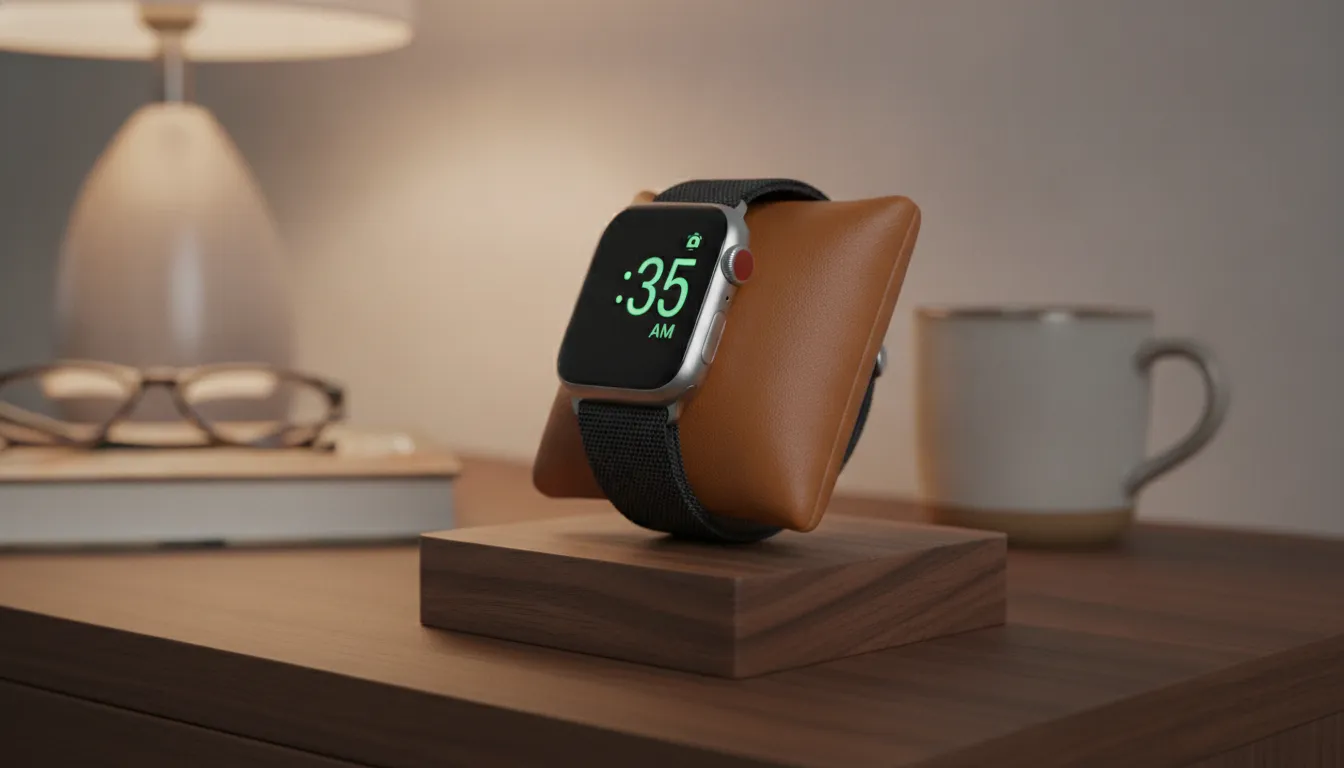
An Apple Watch nightstand charger is a dedicated dock that holds your watch sideways to trigger Nightstand Mode, a built-in watchOS feature on Series 3 and later. This turns your device into a bedside clock that shows the time, date, and alarms while charging. According to Apple Support, the display stays dark until you tap the screen or nudge the surface where the watch rests. Premium stands use weighted bases and integrated cable management to keep your charging station organized and your watch securely aligned overnight.
While most people think of these stands as overnight chargers, the software behind Nightstand Mode adds daily convenience. Knowing how the feature works helps you pick the right hardware for your bedside or desk.
- Place your Apple Watch on its side in a compatible charging stand so the magnetic puck aligns with the back of the watch
- Plug the stand into power using the USB-C cable and a 20W adapter
- Wait for the Nightstand Mode clock display to appear automatically once the watch begins charging
- Tap the nightstand or nudge the surface to wake the display in the dark
- Use the Digital Crown to snooze alarms or the side button to dismiss them
What Is Apple Watch Nightstand Mode?
Apple Watch Nightstand Mode is a display feature that activates automatically when an Apple Watch is placed on its side while connected to a charger. It converts the watch face into a large digital clock showing the time, date, alarm status, and charging level. The feature debuted in watchOS 3 and is available on Series 3 through the latest models including Ultra and SE.
This mode turns your charging Apple Watch into a bedside companion you can read without reaching for your phone. The screen lights up when you tap the table or simply nudge the surface nearby. This works because the watch uses its accelerometer to detect motion through the surface it rests on.
- Large digital time display with date and alarm info
- Screen activates on tap or surface nudge, not on raise-to-wake
- Nightstand Mode activates automatically when the watch is on its side and charging
- Side button dismisses alarms while Digital Crown snoozes them
- Background illumination adjusts to room lighting for comfortable nighttime viewing
Device and Software Compatibility
Nightstand Mode works with every Apple Watch from Series 3 through the latest releases including Ultra 2, SE 3, and Series 10. The feature requires a recent version of watchOS and an Apple-certified charging puck. As Apple Support notes, the display remains in a low-power state between taps to preserve battery health and prevent screen burn-in overnight.
Using a quality charging stand ensures your watch stays in the correct sideways position throughout the night. Premium docks like the TRIO TRAY Qi2 incorporate the magnetic charger at the ideal viewing angle so you see the clock clearly from your pillow without lifting your head.
How to Choose the Best Apple Watch Nightstand Charger for Your Bedroom
The best Apple Watch nightstand charger for your bedroom depends on three factors: viewing angle for Nightstand Mode. Base weight for one-handed docking, and whether you need multi-device charging. Angled docks work best for bedside viewing. A weighted base prevents the stand from sliding. Multi-device stations charge your iPhone and AirPods alongside your watch from a single cable.
Choosing the right form factor and materials transforms your nightstand from a surface with scattered devices into an organized charging station. Here are the key buying criteria to evaluate.
Pick the Right Form Factor
Charging stands fall into three categories for bedside use. An upright stand holds the watch vertically, which works well for desks but can be hard to read from a low bed. An angled dock tilts the watch face toward you for easy Nightstand Mode viewing. A flat pad charges the watch but does not activate Nightstand Mode properly because the watch must be on its side.
For bedside use, an angled dock is the best choice. The TRIO collection of 3-in-1 chargers uses a lift-up coil design that positions the watch at a natural reading angle while keeping the magnetic connection secure through the night.
Look for Premium Materials
The materials used in your charging dock affect both its appearance and its stability. Many plastic stands feel light and can slide across your nightstand when you dock or undock your watch. A premium charging station should use a weighted base with non-slip padding to stay firmly in place during one-handed use.
NYTSTND uses handcrafted American black walnut, white oak, and full-grain leather to build docks that feel substantial. The natural weight of solid wood provides the mass needed for stable one-handed use. These materials also develop character over time, making the stand a lasting part of your bedroom decor rather than a disposable accessory. For comparison, wood charging stations outlast plastic alternatives by years with proper care.
Single Device vs Multi-Device
Think about how many devices you need to charge each night. A single-device stand is compact and works well if you only charge your watch. However, most Apple users also need to power an iPhone and AirPods. A multi-device dock eliminates the need for multiple cables and wall adapters, which simplifies your nightly routine.
Browse Apple Watch Charging Stands to compare single and multi-device options built for bedside organization.
How Does Apple Watch Ultra Charging Differ from Standard Models?
The Apple Watch Ultra and standard models share the same magnetic charging technology but differ in battery capacity and case dimensions. Ultra models use a 49mm titanium case that requires a wider charging dock with proper clearance. Standard Series models charge faster (30 minutes to 80% for Series 10) while Ultra models need about 60 minutes for the same charge due to their larger batteries.
The physical size of the Ultra case affects which stands work best. An Apple Watch nightstand charger must accommodate the larger bezel and flat crystal of the Ultra so the magnetic puck sits flush against the charging surface. Without proper clearance, the watch may not align correctly, which can interrupt charging.
| Model | Time to 80% | Case Size | Fast Charge Required |
|---|---|---|---|
| Apple Watch Series 10 | 30 minutes | 42-46mm | USB-C Fast Charging Cable |
| Apple Watch Series 7-9 | 45 minutes | 41-45mm | USB-C Fast Charging Cable |
| Apple Watch SE 3 | 45 minutes | 40-44mm | USB-C Fast Charging Cable |
| Apple Watch Ultra 2/3 | 45 minutes | 49mm | USB-C Fast Charging Cable |
| Apple Watch Ultra 1 | 60 minutes | 49mm | USB-C Fast Charging Cable |
Nightstand Mode Across All Models
Both Ultra and standard Apple Watch models support Nightstand Mode for bedside use. This feature turns any compatible watch into a digital clock when placed on its side while charging. The experience is identical across models, with the same tap-to-wake and alarm controls. According to Apple Support, fast charging requires an Apple USB-C Magnetic Fast Charging Cable paired with an 18W or higher USB-C power adapter. Older USB-A cables and low-wattage adapters will charge the watch but at a slower rate.
Using Your Apple Watch Charging Stand at a Desk
An Apple Watch charging stand serves dual duty on a desk by keeping your watch visible and charged throughout the workday. It enables a secondary clock display, works alongside your iPhone in StandBy Mode, and ensures your watch is ready for evening activities. A quality stand that works for both environments eliminates the need for separate bedside and desk docks.
Most people consider a charging stand a bedside accessory. But a well-chosen dock also improves your workspace by keeping your watch charged and accessible during the day.
StandBy Mode Compatibility
With iOS 17 and later, your iPhone can enter StandBy Mode when placed on its side while charging. This feature turns the iPhone into a smart display showing the time, calendar events, and live updates. Using a multi-device dock that supports landscape iPhone charging alongside your Apple Watch creates a powerful desk setup with two active displays.
The TRIO TRAY Qi2 supports landscape charging for iPhone, which makes it a natural fit for a desk where you want StandBy Mode visible while you work. The QUAD collection adds an iPad stand for users who need a complete desk charging hub.
Dual Clock Display
Your Apple Watch in Nightstand Mode becomes a standalone clock when placed on a desk. Combined with your iPhone in StandBy Mode, you get two time displays with different information. The watch shows the current time and date, while the phone can display your calendar, weather, or a photo slideshow. This setup is useful for tracking timers, checking the date during video calls, or keeping an eye on the time while working on a laptop.
Multi-Device Charging: Power Watch, iPhone, and AirPods Together
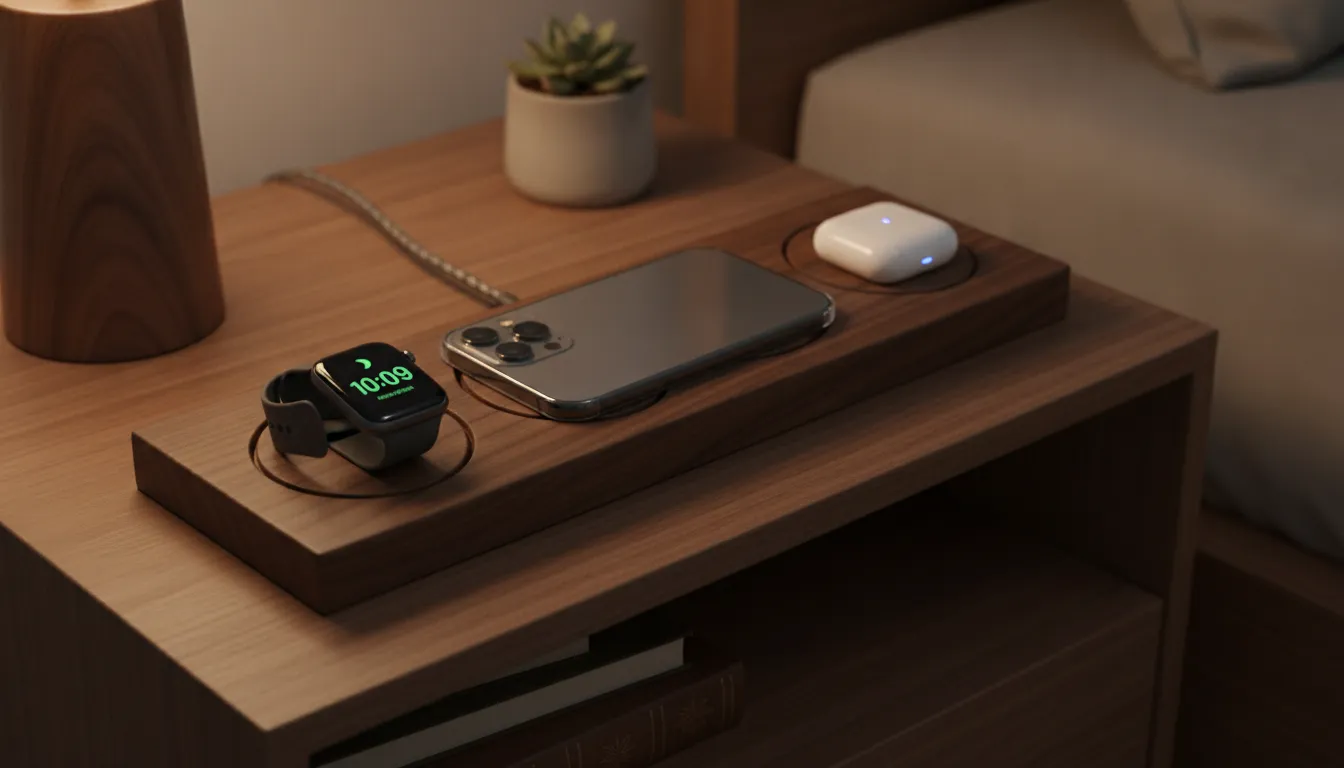
A multi-device charging station powers your Apple Watch, iPhone, and AirPods from a single wall outlet. These 3-in-1 docks use one cable to charge all three devices, reducing desk and nightstand cabling by two-thirds. Premium models assign a dedicated spot for each device with magnetic alignment to prevent movement during the night.
Charging three devices individually means managing multiple cables, adapters, and wall bricks. A 3-in-1 wireless charging station centralizes everything into one clean surface. This approach keeps your bedside area organized and ensures every device is fully charged each morning.
Benefits of All-in-One Docks
- One cable replaces three wall adapters and charging cables
- Dedicated charging spots prevent devices from sliding overnight
- Magnetic phone dock ensures perfect alignment every time
- Clears nightstand space while keeping all devices in one reachable spot
- Integrated cable management hides the cord path from the outlet to the dock
NYTSTND multi-device stations use real walnut or oak paired with full-grain leather. These materials bring warmth to the bedside that contrasts with the plastic and silicone used in most mass-market charging docks. Each TRIO collection stand has hand-finished edges and a weighted base for stability during one-handed use.
| Product | Devices | Key Materials | Best Use |
|---|---|---|---|
| TRIO TRAY Qi2 | 3 devices | Walnut or oak, leather | Primary bedside dock |
| TRIO Flex | 3 devices | Aluminum, leather | Travel and desk rotation |
| QUAD TRAY | 4 devices | Walnut or oak, leather | Desk setup with iPad |
If you travel frequently, the TRIO Flex folds flat for packing and opens into a stable stand at your destination. It works with the TRIO TRAVEL Kit which bundles international adapters in a leather case for seamless charging on the road. For a look at how multiple devices change charging habits, read our guide to multi-device charging stations for iPad users.
Fast Charging Speeds: What to Expect by Model
Modern Apple Watch models support fast charging that delivers significant power in under an hour. Series 10 reaches 80% charge in about 30 minutes. Series 7 through 9, SE 3, and Ultra 2/3 reach 80% in about 45 minutes. The original Ultra needs about 60 minutes. Fast charging requires an Apple USB-C Magnetic Fast Charging Cable and a power adapter delivering 18W or higher.
Fast charging matters most for two scenarios: topping up before sleep tracking and recharging quickly during a morning routine. A watch that charges faster spends less time on the dock and more time on your wrist gathering health data.
Hardware Requirements
To access fast charging speeds, you need the right cable and power brick. Apple USB-C Magnetic Fast Charging Cables have an aluminum puck design that distinguishes them from older plastic-puck cables. The power adapter must support USB-C Power Delivery at 18W or higher. Apple recommends its 20W USB-C adapter, but third-party options that meet the PD specification also work.
Premium charging stands often include the magnetic charging module built into the dock. This means you do not need to feed your own cable through the stand or worry about compatibility between the stand and the charging puck. The integrated design keeps your space clean and ensures the watch receives optimal power delivery.
The NYTSTND Apple Watch collection includes stands that support fast charging for all compatible models. Whether you own a Series 10, an Ultra 2, or a first-generation SE, these docks deliver the full speed your watch can accept.
Bedside Charging Routine
Fast charging changes how you think about overnight power. Instead of leaving your watch on the dock for eight hours, you can give it a quick boost before bed. A 15-minute charge can provide enough power for a full night of sleep tracking. This frees your wrist for health monitoring while still ensuring your watch has adequate battery by morning.
When your watch is on the dock, Nightstand Mode activates automatically, turning the screen into a readable clock. If you prefer a zero-light sleeping environment, our sleep-friendly bedside charger guide covers options without disruptive indicator lights.
What to Look for in an Apple Watch Nightstand Charging Stand
When buying an Apple Watch nightstand charger, prioritize angled design for Nightstand Mode visibility, a weighted base for stability. Premium materials that match your decor, multi-device support if you charge other Apple devices, and fast-charging compatibility for Series 7 and newer watches. These five criteria ensure your stand works well for years.
Weight and Stability
A stable base is critical for one-handed use in the dark. The stand should not slide or tip when you dock or remove your watch. Look for a weighted base with non-slip padding. Natural wood docks provide the mass needed for stability without added metal ballast.
Material Quality
Your charging stand sits on your nightstand or desk every day. It should complement your space, not distract from it. Handcrafted wood and full-grain leather offer a warm, premium look that plastic cannot match. These materials age gracefully and develop patina over time rather than cracking or yellowing.
Multi-Device Support
If you charge an iPhone and AirPods alongside your watch, a 3-in-1 stand saves significant counter space and cable management. Look for a dock that supports landscape iPhone charging for StandBy Mode and has dedicated spots for AirPods with or without MagSafe.
Fast Charging Compatibility
Verify that the stand supports the fast charging speed your watch model can accept. Built-in charging modules generally provide more reliable power delivery than stands that require you to thread your own cable through the frame. Check that the charging module is Apple-certified or ships with the proper USB-C Fast Charging Cable.
Shop the TRIO Collection for Multi-Device Charging
Frequently Asked Questions
Does Apple Watch Nightstand Mode stay on all night?
No. The screen turns off after a few seconds to preserve battery life. You can wake the display by tapping the nightstand or gently nudging the surface where the watch rests. The watch uses its accelerometer to detect motion through the table surface.
Can I use any Apple Watch charger with Nightstand Mode?
Any Apple-certified magnetic charging puck works with Nightstand Mode as long as your watch is Series 3 or later. The key is the physical position: the watch must be on its side, not flat. A stand that holds the watch at an angle makes this automatic.
Does the Apple Watch Ultra work with the same charging stands as standard models?
Yes, but verify the stand has enough clearance for the 49mm case. Most modern stands accommodate the Ultra, but some older designs may not hold the larger frame securely. Stands with adjustable or lift-up coils generally work best with both form factors.
How long does it take to fully charge an Apple Watch?
Full charge times vary by model. The Series 10 reaches 100% in about 60 minutes. The Series 7 through 9 and SE 3 reach full charge in about 75 minutes. The Apple Watch Ultra models need about 90 minutes for a full charge. These times assume an Apple USB-C Fast Charging Cable and a compatible 18W or higher power adapter.
What is the difference between a MagSafe charger and an Apple Watch charger?
MagSafe chargers are designed for iPhone models with built-in magnets. Apple Watch chargers use a different magnetic alignment and power profile specific to the watch. They are not interchangeable. Your Apple Watch requires an Apple Watch charging puck or a stand with an integrated Watch charging module.
Find Your Ideal Apple Watch Nightstand Charger
An Apple Watch nightstand charger transforms your nightly routine by keeping your watch charged, visible, and ready for the day ahead. Whether you need a dedicated bedside stand, a desk companion, or a multi-device hub that powers your entire Apple device setup, the right dock makes organization effortless.
Explore the TRIO collection of handcrafted charging stations to find premium options in real wood and full-grain leather. Each stand is designed to complement your space while keeping your devices powered and within reach. View all Apple Watch charging solutions from NYTSTND to compare models and find the stand that fits your routine.


